





If you grew up in the 80s or 90s and went to a Southern Baptist church, chances are you listened to Patch the Pirate stories. One of my favorite childhood church memories was when a new Patch the Pirate cassette tape came out and my parents would let me buy one from the church bookstore. I can still picture the shelf lined with colorful artwork, each one promising a new journey on the high seas with Patch, Sissy Seagull, and the rest of the crew. I had quite the collection and I loved listening to Patch adventures every night as I went to sleep. There was something comforting about pressing play, hearing the familiar theme song, and drifting off while Patch and his friends sailed into another story.
Those tapes shaped so much of my childhood faith. They taught lessons about honesty, obedience, courage, and trusting the Lord in a way that felt natural and engaging rather than forced. Even now, as an adult, I still remember ALL the songs and storylines. One of the things I appreciate most about Patch the Pirate is that the biblical lessons still resonate with me today, even as an adult.
Now that I’m a parent, I’ve found myself wanting to pass on that same sense of wonder and storytelling to my own kids.
In this blog post, I’m going to share how to make your own Yoto cards so you can continue the adventures of Patch the Pirate with your kids!
What is a YOTO?
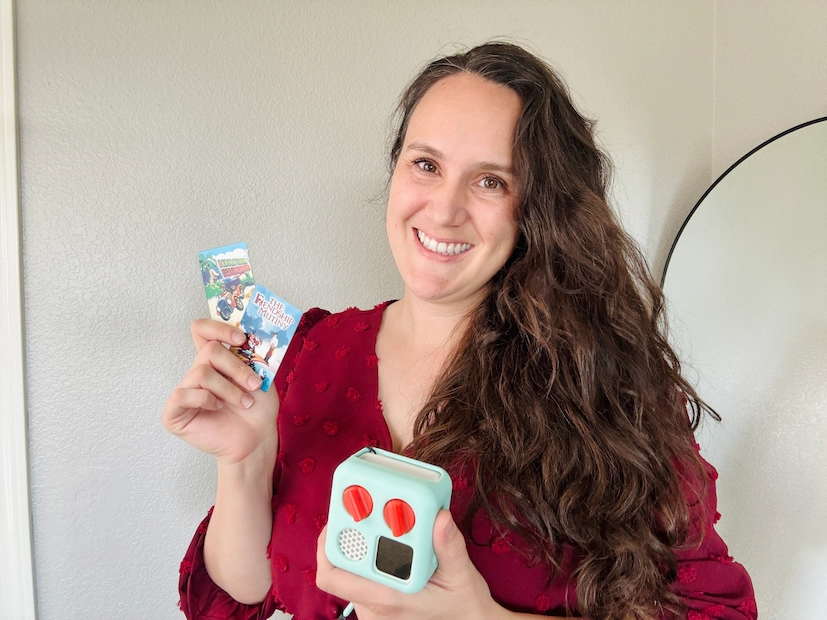
If you’re not familiar, the Yoto Player is a screen-free audio player designed for kids. Kids can listen to stories, music, and podcasts by inserting little physical cards into the player. It’s perfect for listening to stories and music throughout the day, especially at nap time, quiet time, and bedtime. Yoto’s website offers hundreds of cards to listen to, and you can even make your own!
I bought the Yoto mini so that our twins could listen to faith based content as they went to sleep. When I realized that they could listen to audio stories on Yoto, my mind immediately went to my childhood hero, Patch the Pirate! I wanted them to experience those same faith based adventures that meant so much to me growing up.
Who is Patch the Pirate?
Patch the Pirate is a fictional character in which Patch and his crew sail the high seas, meet new friends along the way, and learn biblical truths. The creator of Patch the Pirate, Ron Hamilton, wasn’t actually a pirate, but he did wear an eye patch after losing his eye to cancer. Rather than letting this devastating event define him, he chose to use it as a way to bring glory and honor to the Lord. Out of that came Patch the Pirate, a character Ron voiced himself, while his wife and children voiced the rest of the Jolly Roger’s crew.
What You’ll Need to Make Your Own Patch the Pirate Yoto Cards
Supplies:
- Yoto mini
- MYO Yoto cards
- A Yoto account + the Yoto app
- Patch Adventures MP3 Audio files
- A printer
- Vinyl sticker paper
- Self-adhesive laminating paper
- Scissors or rotary cutter and cutting mat
How to Make Your Own Patch the Pirate Yoto Cards
Step 1: Get Your Patch the Pirate Audio
The first thing you’ll need to do is purchase Patch Adventures in MP3 format. Amazon has several Patch adventures, but for the complete collection, visit Majesty Music’s website, home of Patch the Pirate Adventures.
Step 2: Upload to Yoto
Next, you’ll log into your Yoto account on your computer or phone. There’s a section called “Make Your Own” where you can upload audio files.
You simply upload the Patch the Pirate files you want your child to listen to. You can organize them into albums, just like a playlist. For example, you might create a card titled “Patch the Pirate Goes to the Jungle” and upload all the tracks from that album.
Yoto also lets you upload album artwork for the card, so each playlist has cover art.
Step 3: Create Card Label
I am so grateful to have stumbled upon this card label template created by a dad who makes custom labels for his son. When you purchase MP3 files from Majesty Music, they also include album artwork that you can use for your card stickers.
Step 4: Print and Cut Your Labels
Once your template is done, download the pdf and print it on vinyl sticker paper. If you want them to last longer, you can laminate the labels. Carefully cut them out and stick them onto the cards. Try to center the label so it doesn’t peel at the edges.
Step 5: Link the Audio to Your Card
Once your audio is uploaded, you’ll link it to a blank Yoto card. These are special “Make Your Own” cards that you can purchase from Yoto.
You simply tap or insert the blank card into your Yoto Player, and it automatically downloads the audio you assigned to it. After that, whenever your child inserts that card, it will play the Patch the Pirate stories you selected.
Step 6: Organize Your Cards
This step is optional, but trust me, organization makes life easier. Amazon has lots of card case options for the Yoto player. I bought this one because it can hold up to 88 cards! I also love that it displays four cards per page. I also appreciate the card slot design- it makes it extremely easy to take out the cards.
My Patch the Pirate Favorites
These are a few of my favorite Patch adventures I listened to when I was a kid.
- The Friendship Mutiny: lesson on choosing the right friends.
- Once Upon a Starry Knight: lesson on a servant’s heart.
- The Sneaky Sheik: lessons on walking in the footsteps of Jesus.
- Goes to Space: lesson on growing in Christ.
- Goes to the Jungle: lesson on missionary service.
- Mount Zion Marathon: lesson on running the Christian race.
- Camp Kookawacka Woods: lesson on the Second Coming.
- The Evolution Revolution: lesson on creation.
It’s exciting to see the Patch the Pirate adventures continue, with his children now carrying on the legacy.
.webp)